Trainings & Badges
How the Badges and Training system work
Standard Knowledge across members
To achieve a higher level of team play and organization, the more members are up to speed on the community's "Tactics, Techniques & Procedures", the higher level of coordinated play you'll experience in game.
To achieve this goal, I've built a custom system in this guide, website and discord to standardize training.
How badges and training levels work
You can view the roster of members and their training levels on the https://siegedogs.com/members
Trainings are organized towards their focuses.
Bastions
Fire Team Tactics
Perimeter Defense
Humvees
Fire Support
Long Rifles
etc.
View Badges at https://siegedogs.com/badges
Each focus has 1 to 5 levels and they correspond to a badge color.
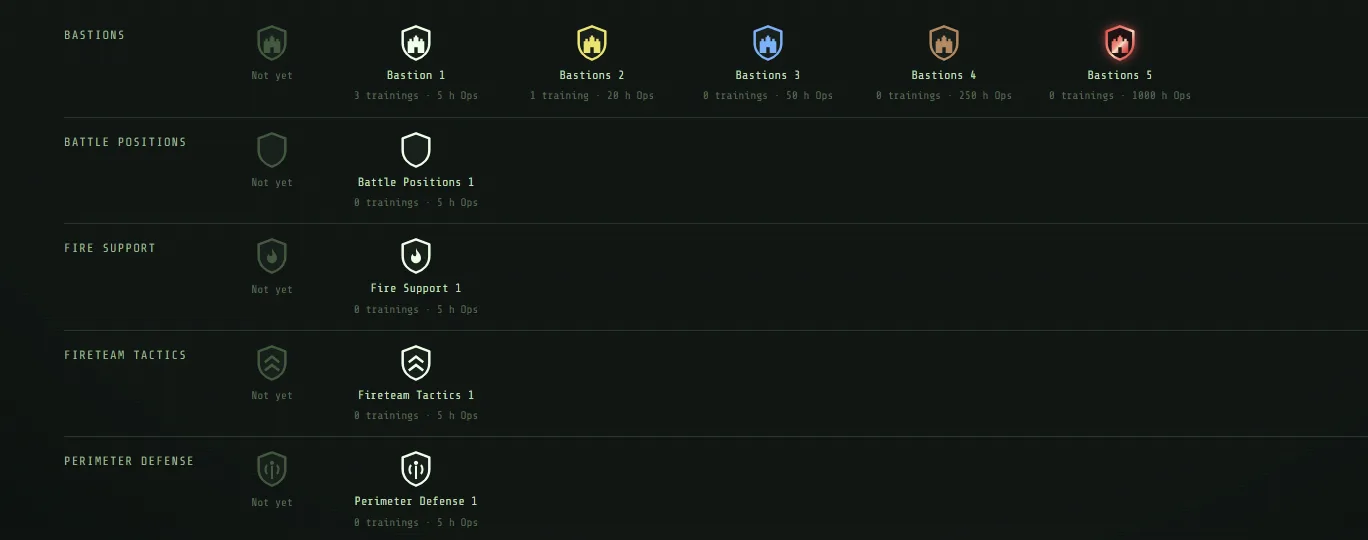
How to see what training you've done
On the https://siegedogs.com/badges
You can hover over the badge to see what trainings you have completed.
You can click on a badge to pin it, this will allow you to click the link to that training.
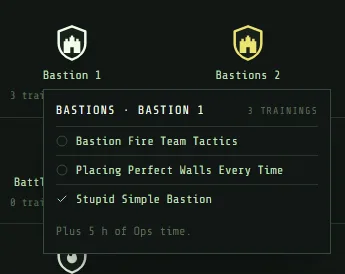
Also,
In the Table of Contents of the TTP you'll see which articles are training
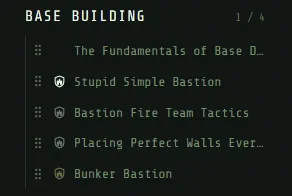
If you have completed a training, it will be highlighted with the badge it's associated with.
Each section shows you what you have/have not completed with a "1/4" on the section.
All uncompleted trainings will be greyed out.
OPS TIME REQUIREMENTS
Each badge also has a required level of Ops playtime.
OPS TIME is shown on the badge and in the https://siegedogs.com/members
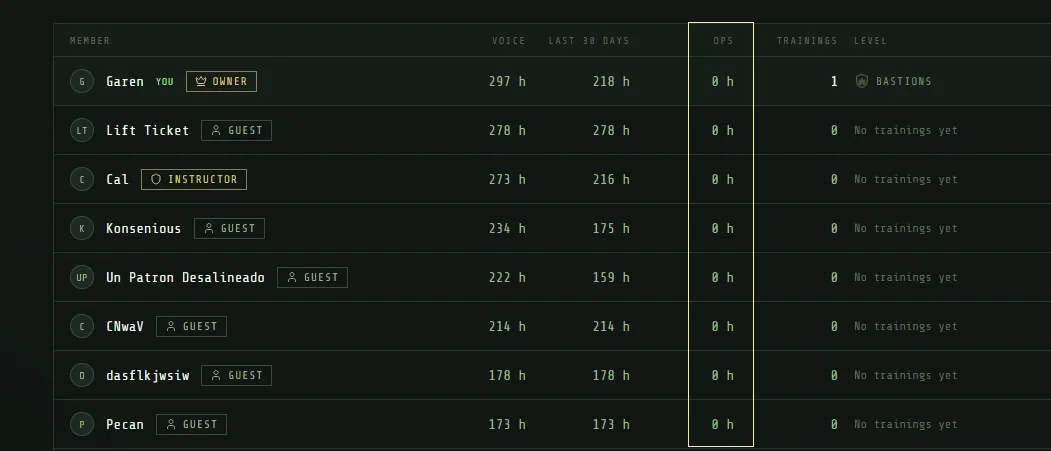
Ops time is tracked by your time in Ops Discord Voice & Teamspeak simultaneously.
You get 25% time when an Ops event isn't running.
We post Ops Events at https://siegedogs.com/events
Events give you 50% time.
How to earn a badge
Each chapter that has a training will tell you how to finish the training at the end of the chapter.

But the general rule is,
For all Level 1 Trainings aka white badge like FOB Fundamentals or Battle Positions 1 ,
Any member with a level 2 badge FOB Intermediate or higher in that tree can sign off on your training completion.
This allows the community to get at least the basic trainings done quickly.
For Level 2 FOB Intermediate and above, only Senior Instructors or I can sign off on the trainings.
How to sign off a member for basic trainings
Easy, in Discord just type /signoff
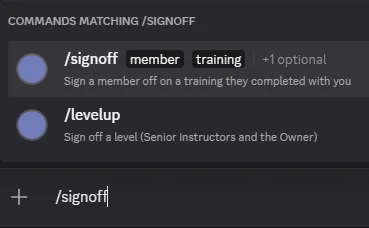
select the member, select the training.
I screwed up a /signoff
If you accidentally sign off on the wrong training, it's an easy fix.
There is a /mistake command which you can run to reverse the signoff.
This only lasts 5 minutes after a signoff.
If the 5 minutes has lapsed, start a ticket HERE and a moderator will fix it.
Discussion
- No comments yet. Corrections and after-action notes welcome.
Sign in as a clan member to comment.